How to use cPanel
Accessing cPanel You can access cPanel at the following address: www.imefirme.com/cpanel Replace imefirme.com with the domain name that is primary for the hosting package. Activating the MySQL database MySQL databases are created in the Databases section. The contents of your website hosting space To access your website’s content, you need to use the File Manager option. Your website’s content needs to
cPanel access
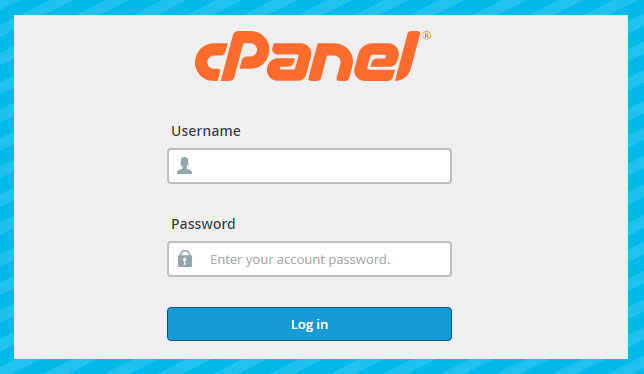
You can access cPanel at the following address:
- www.imefirme.com/cpanel
Replace imefirme.com with the domain name that is primary for the hosting package.
Activating the MySQL database
MySQL databases are opened in the section Databases.

The amount of space used by your presentation hosting
To access your website content, you need to use the option File Manager
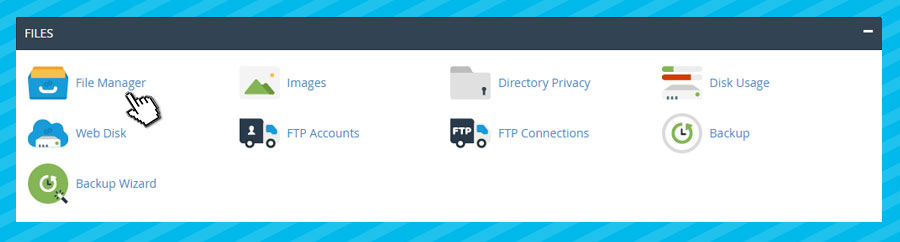
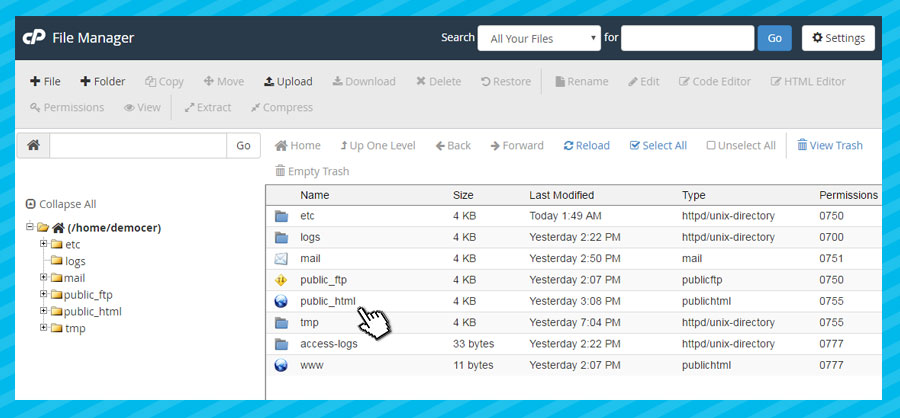
Your website content should be placed in public_html directory
The website is not visible
Possible reasons for this include:
- Directory deleted.
- Presentation uploaded outside public_html directory.
- Payment problems (your hosting subscription has expired),
- Technical reasons (exceeded traffic allowance, the website caused a server outage, service abuse, etc.),
- Copyright infringement (protected software, protected media such as music and video),
- Mass sending of unsolicited email through our server (SPAM),
- Any action that violates HostSector’s hosting service usage policy.
I am getting the error 500 Server Internal Error
This problem may occur if you have incorrectly configured .htaccess file.
Solution:
- Remove the .htacess file or move it to the appropriate directory.
- Note: The .htaccess file, and indeed all files whose names begin with a “.”, are hidden on Linux/Unix operating systems.
- If you cannot find this file, check whether you have enabled the display of hidden files in the FTP client you are using.
- If none of the above resolves your problem, please contact technical support.
Change your cPanel password
If you want to change your current password, simply use the option Change Password
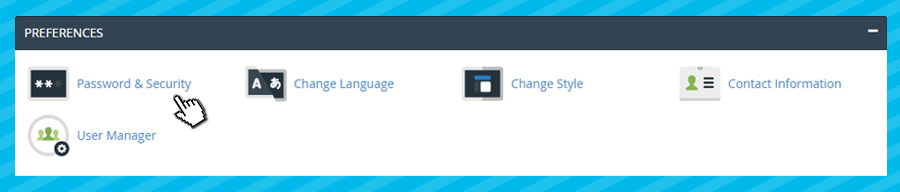
If you have forgotten your password and would like us to change it, then if the domain is registered to a legal entity, you need to email a request to change the password to [email protected] (specify what you would like it changed to). You can also send us this request on your organization’s letterhead. Please specify which domain you want the password changed for, and provide a contact email address.
If the domain is registered to an individual, please email a scan of the ID card (or another personal document) of the person listed as the domain owner to [email protected]. Please specify which domain you want the password changed for and provide a contact email address.
Your hosting account statistics and server information
To check the current statistics for your hosting account, click the icon on the left side of the interface. Statistics
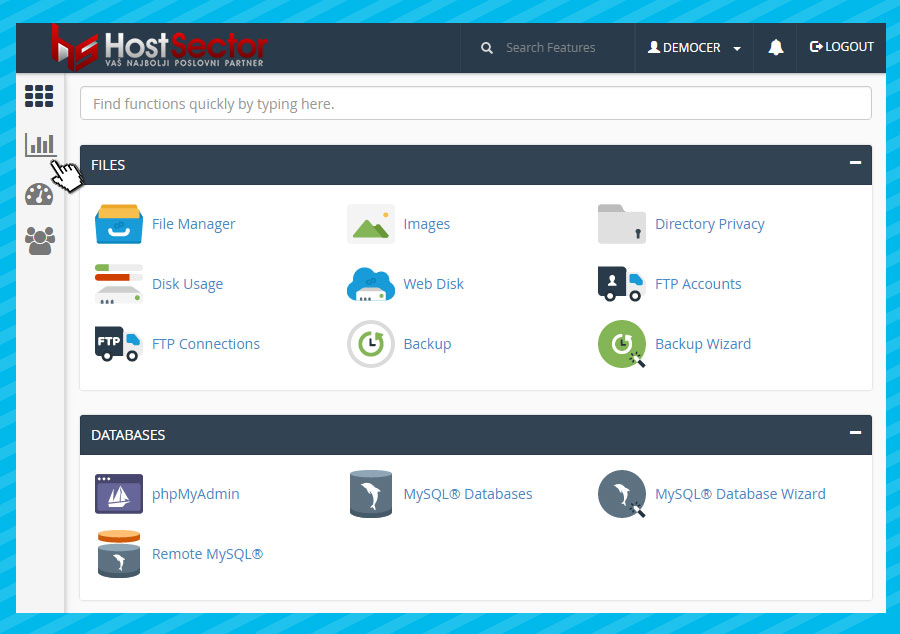
You can now view the current status of your hosting account, including how much disk space (Disk usage) and bandwidth (Bandwidth) you have used, as well as the number of MySQL and EMAIL accounts. To view information about the server and its services, click Server information
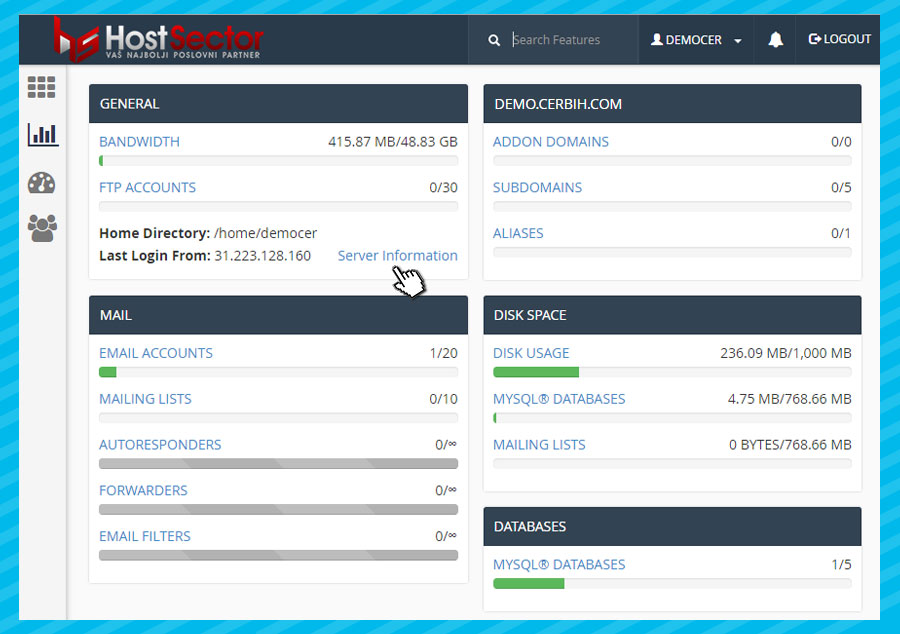
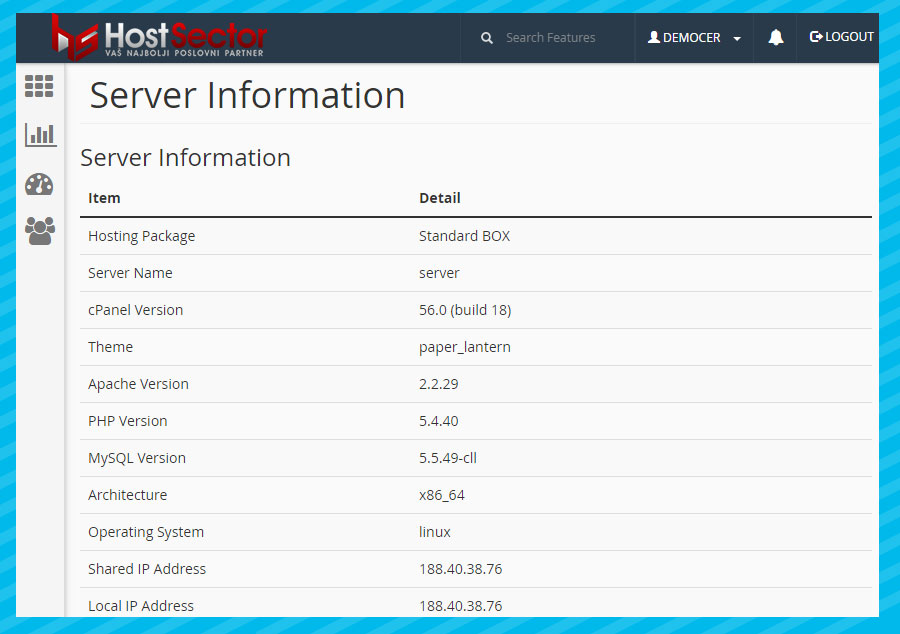
You can now see which hosting package you are using, as well as the versions of cPanel, Apache, MySQL, PHP, and more.
Managing email accounts
Email accounts are managed in the section EMAIL.
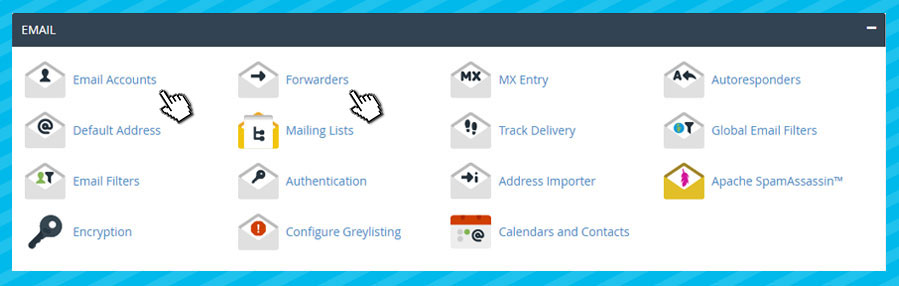
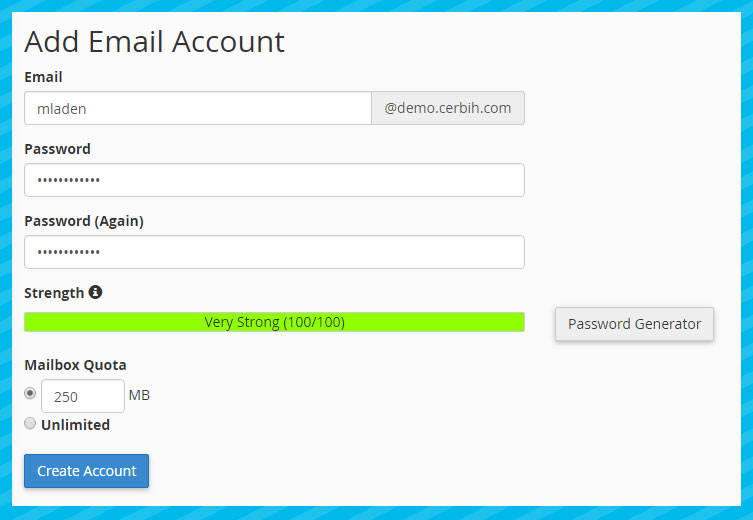
Email Accounts – Here you can delete existing email accounts or create new ones, e.g. [email protected]. You can use Webmail for these email accounts, available at www.imefirme.com/webmail
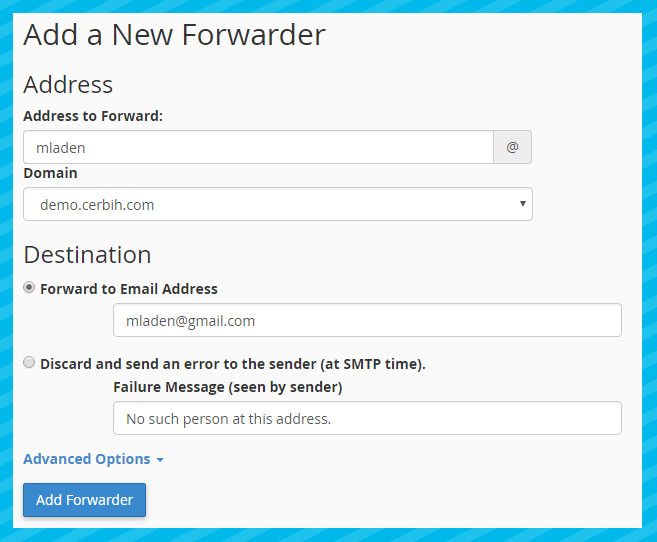
Forwarders – Here you can configure email forwarding so that if someone sends an email to [email protected], it is forwarded, for example, to [email protected]
Website virus protection
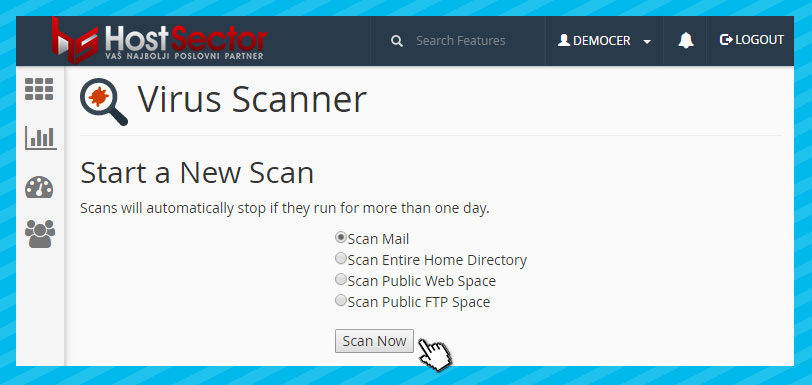
If you want to check whether your website or email is infected with a virus, simply use the option Virus Scanner
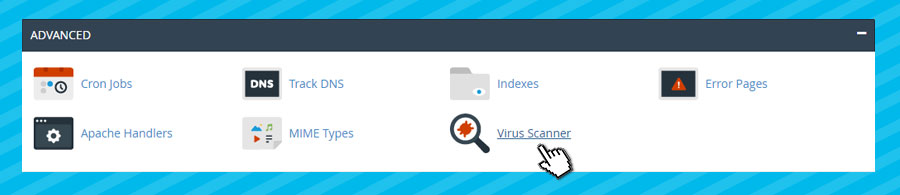
Then select the scanning service:
- Scan Mail — Scan all your email accounts
- Scan Entire Home Directory — Scanning your “home” directory (We recommend this option)
- Scan Public Web Space — Scan all files and directories on your website